Day27:Jenkins Declarative Pipeline with Docker

Hey there! I am Sayali!! I started writing articles on my DevOps and cloud journey👩🏻💻. My purpose is to share the concepts that I learn, the projects that I build, and the tasks that I perform regarding DevOps. Welcome to my blog!!
Use your Docker Build and Run Knowledge
docker build - you can use sh 'docker build . -t <tag>' in your pipeline stage block to run the docker build command.
docker run: you can use sh 'docker run -d <image>' in your pipeline stage block to build the container.
How will the stages look
stages {
        stage('Build') {
            steps {
                sh 'docker build -t trainwithshubham/django-app:latest'
            }
        }
    }
Task-01
1)Create a docker-integrated Jenkins declarative pipeline
In Jenkins, Click on “New Item”, create a new pipeline job, and select "Pipeline" as the project type.
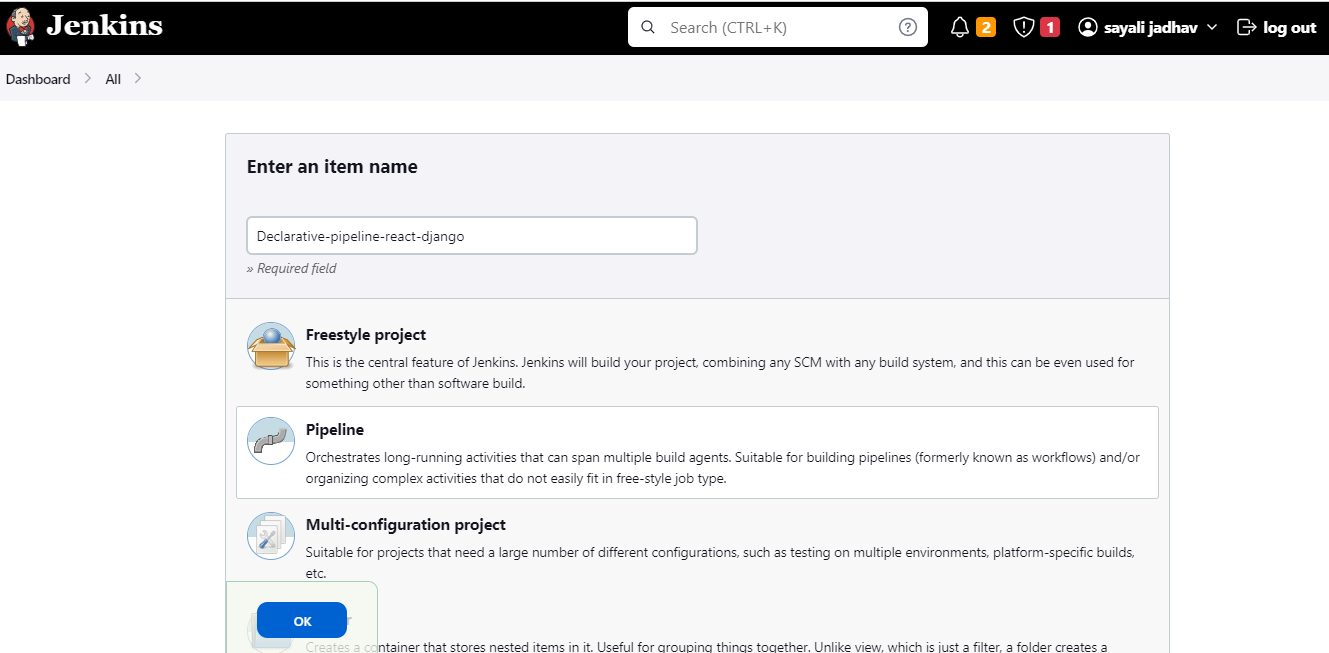
2)Use the above-given syntax using sh inside the stage block
In the configuration, In the pipeline script section, define your stages, steps, and parameters.
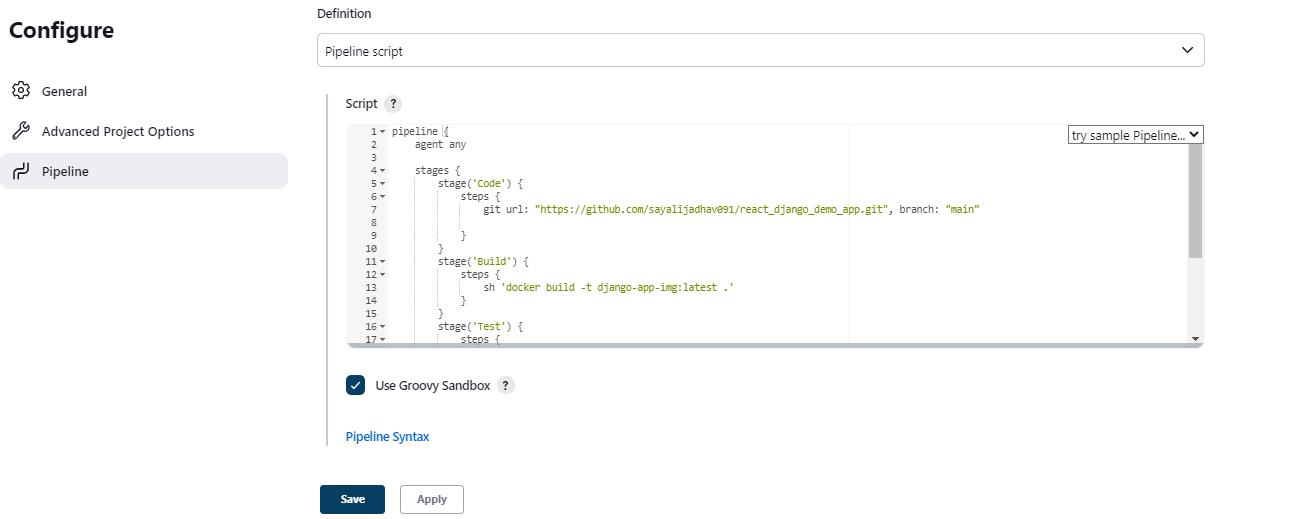

Save and run the pipeline. You should see the pipeline execute each stage and run your application inside a Docker container.
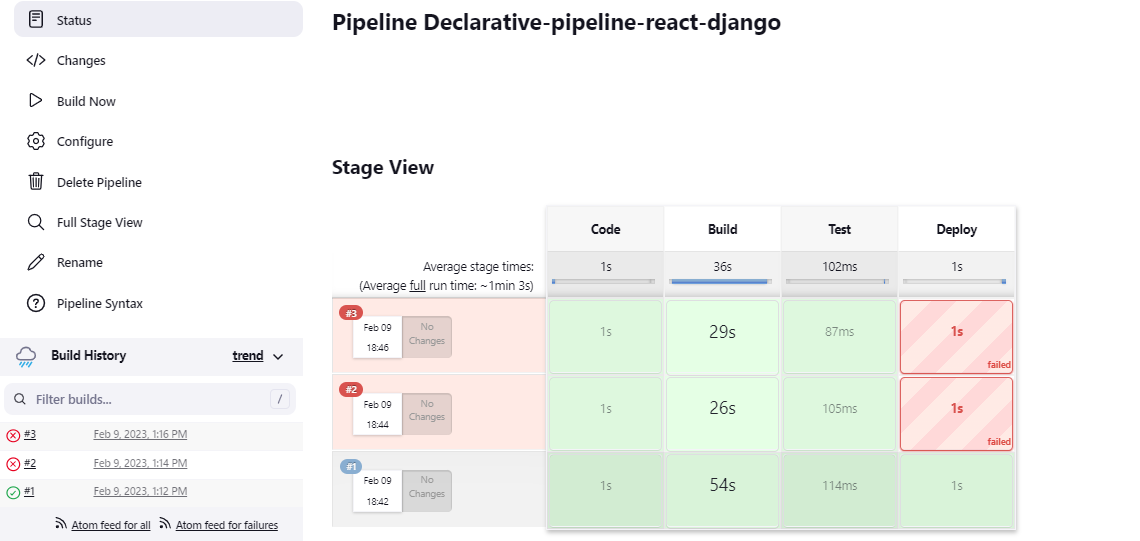
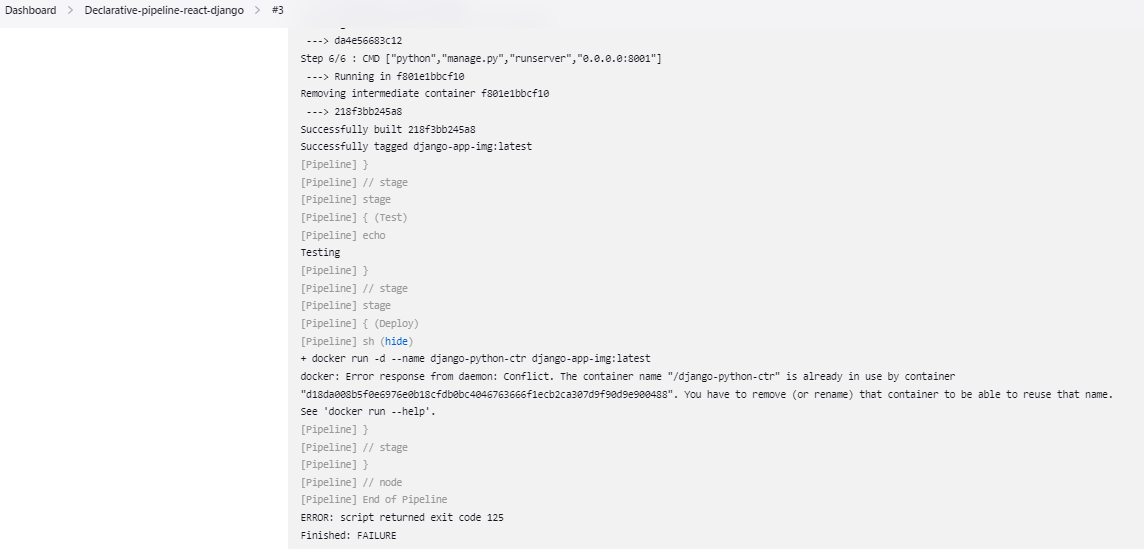
Console Output:


3)You will face errors in case of running a job twice, as the docker container will be already created, so for that do task 2
Task-02:
1)Create a docker-integrated Jenkins declarative pipeline using the docker groovy syntax inside the stage block.
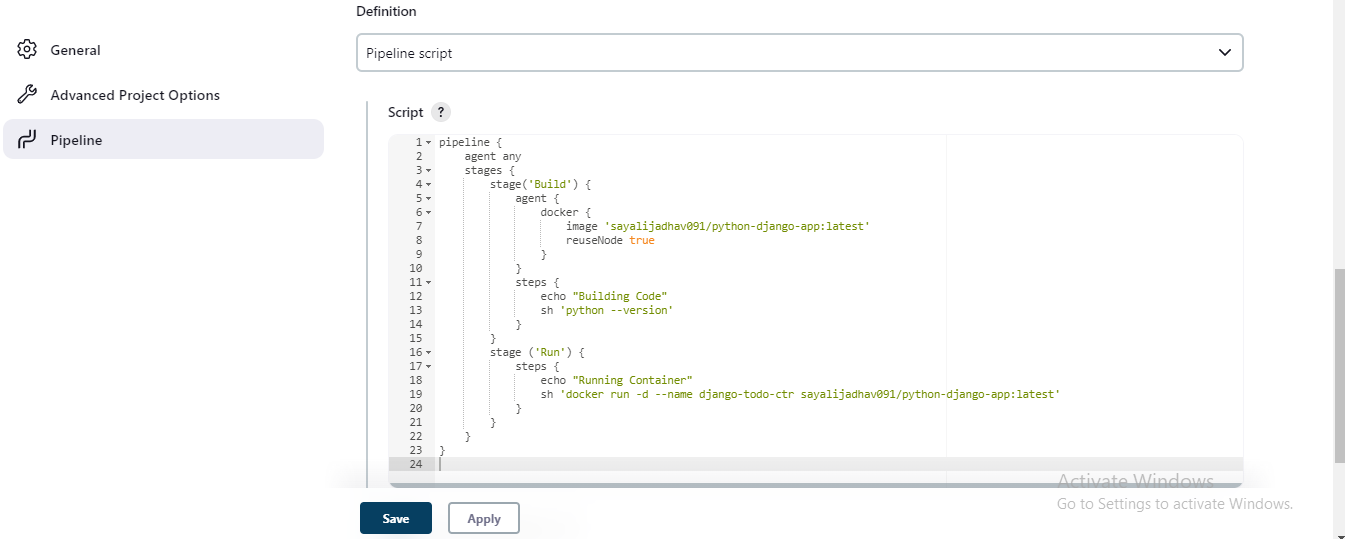
Click on Save and then click on Build Now.

Console Output:


Thank you for reading! I hope you find this article helpful.
Happy Learning!!
Sayali ✨


